 AlphaNumz
Guest list, budget and seating
Wedding planner app for guests, budget and seating
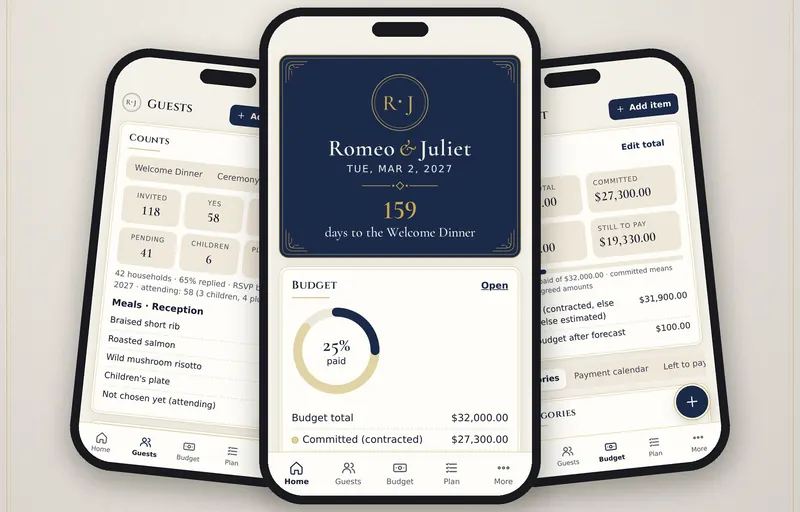
For couples planning the wedding themselves. Guests and RSVPs, budget and payments, vendors, the checklist, seating and day-of timelines live in one private app, with no ads and no vendor upsell.
Works offline. No account, no subscription, no bank login.
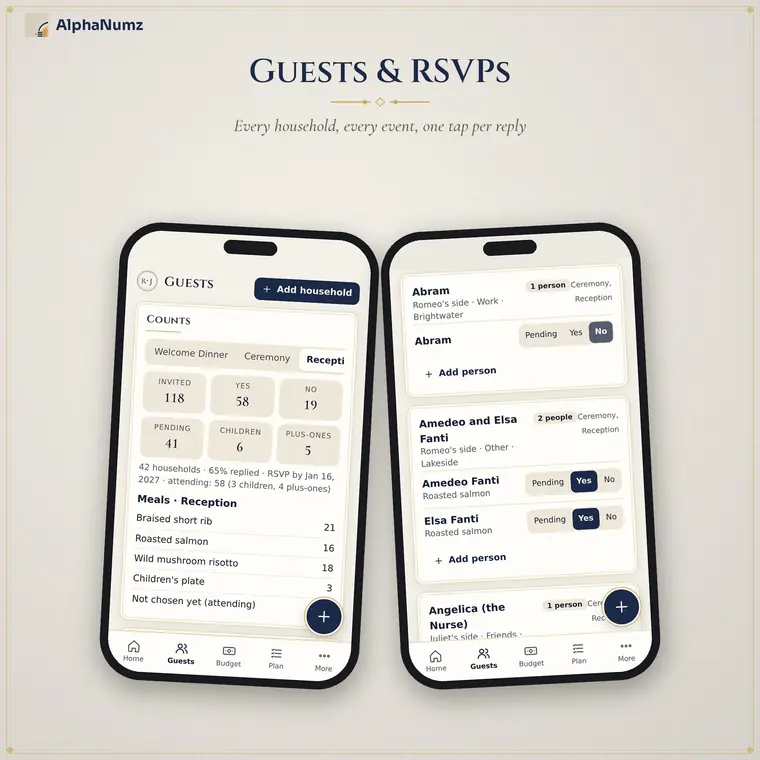
Guest list and RSVPs for every event
Households with their people, sides, groups and addresses. Tap yes, no or pending per person per event and see counts for invited, attending, children and plus-ones, with meal totals and dietary notes.
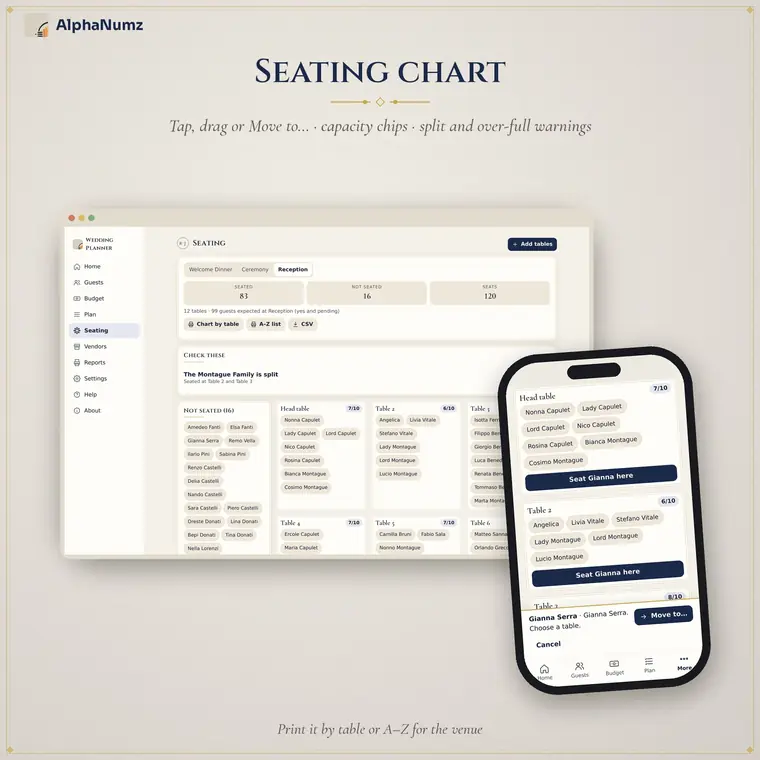
A seating chart you can drag
Tables with capacity for each event. Tap a guest then a table on a phone, or drag and drop on a computer. The app warns about over-full tables and households split across tables.
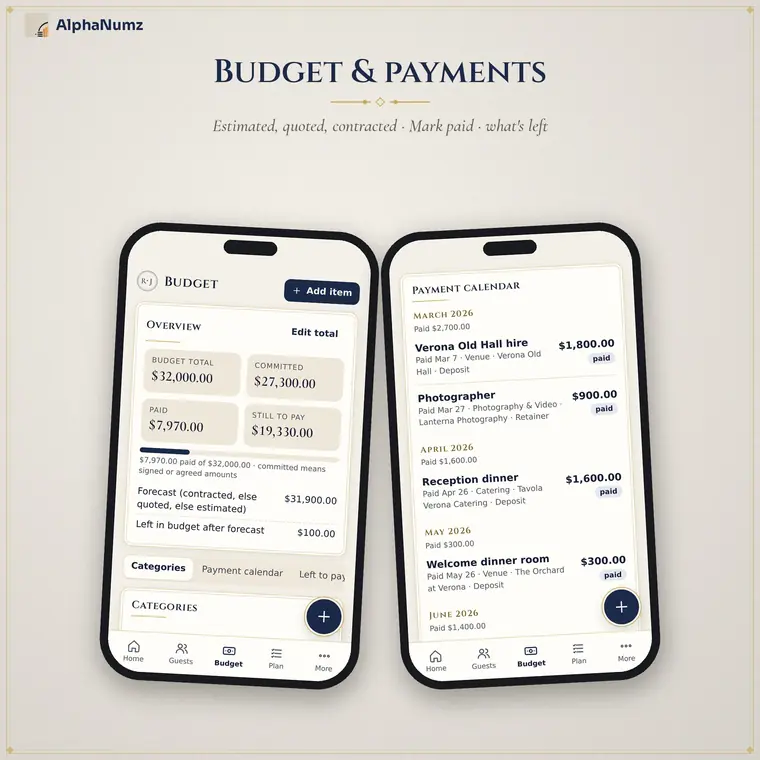
Budget and payment schedule
Estimated, quoted and contracted amounts for each item, a payment schedule with mark-as-paid, and totals for committed, paid and left to pay. Only your own numbers are used.
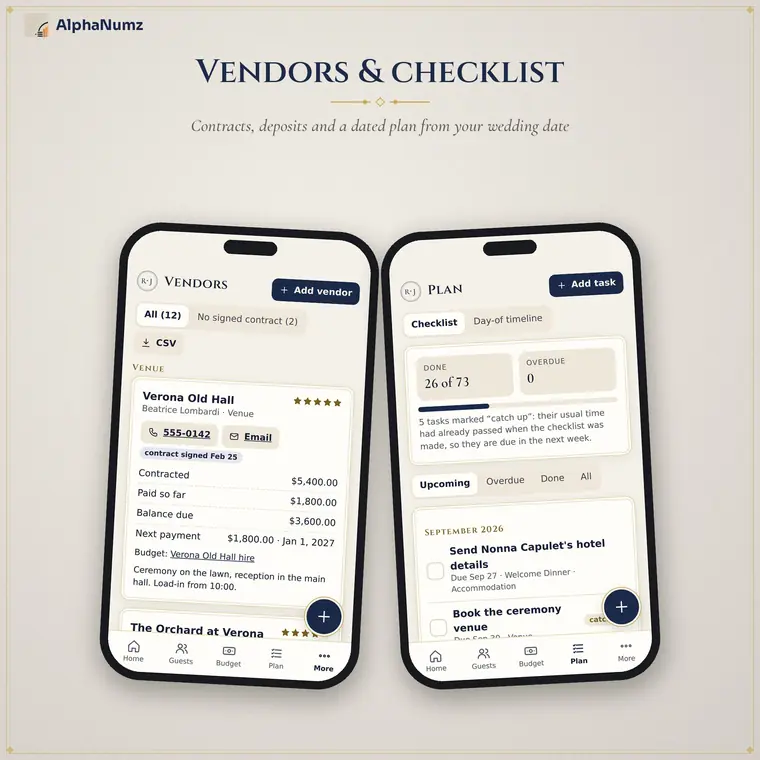
Vendors and a dated checklist
Vendor contacts with contract status, deposits and balances, plus a checklist of about 60 tasks counted back from your wedding date.
Who it is for
- Couples planning without a wedding planner
- Weddings with several events, such as a welcome dinner, ceremony and reception
- Anyone who wants the guest list, budget and seating in one place
Also included
- A countdown to the next event
- Each event has its own venue, times and timeline
- CSV import and export of guests
- Four colour palettes
- Pairs with the Royal Stationery Studio
Get Wedding Planner App
Works offline. No account, no subscription, no bank login.
Questions
What exactly do I get?
Each app is a single file you download once and keep. Open it in the browser on your phone, tablet or computer. A short Start Here guide is included.
Is there a subscription or an account?
No. You pay once on Etsy. There is no monthly fee, no sign-up and no bank login.
Where is my data stored?
On your own device, in your browser. Nothing is sent to us or anyone else. Use the built-in backup to save a copy or move to another device.
Does it work offline?
Yes. Once the app is open or saved to your device it works without an internet connection.
Can I try before I buy?
Yes. Every app has a free demo on this site with example data loaded, so you can check it suits you first. The demo does not keep what you enter. Digital downloads cannot be returned.
Which devices does it work on?
iPhone, iPad, Android phones and tablets, Windows, Mac and Chromebook, in a current browser. On a phone you can add it to your home screen like any other app.